Website Audio That Keeps Playing on Phones
Give mobile listeners a finished audio experience when they leave the browser, lock the phone, or keep listening on the move.
There's a moment that happens to every station. Someone presses play on your website, slips their phone into their pocket, and walks away. They're still listening — but now the phone is locked.
Website audio should still feel like your station after the listener locks their phone.
Use hosted audio that passes track names, station art, and supported controls to the phone instead of leaving listeners with a blank, anonymous stream.
What happens next on their lock screen determines whether they feel like they're still with you or whether they're listening to some anonymous audio from nowhere.
If the lock screen shows blank artwork, no track name, or nothing at all — it feels unfinished. Like something broke. Some listeners close it and don't come back.
If it shows your station art, the track title, and familiar controls — it feels like a real radio station. Like something that was built for them.
How iRadeo handles this: We pass the best track name, station art, and controls the phone supports. If your MP3 has lyrics embedded in it, we can show those too. If it doesn't, we don't make anything up.
Why it matters more than you'd think
Lyrics should show up only where they make sense.
A tiny player has one job: play. It should not become a cramped lyrics box. Bigger station pages and full players have room to show more.
That means:
- Station page: show lyrics when the track has them.
- Full player: give lyrics their own clean area.
- Compact player: show a small lyrics button when it fits.
- Tiny bar: keep it simple and link to the station page.
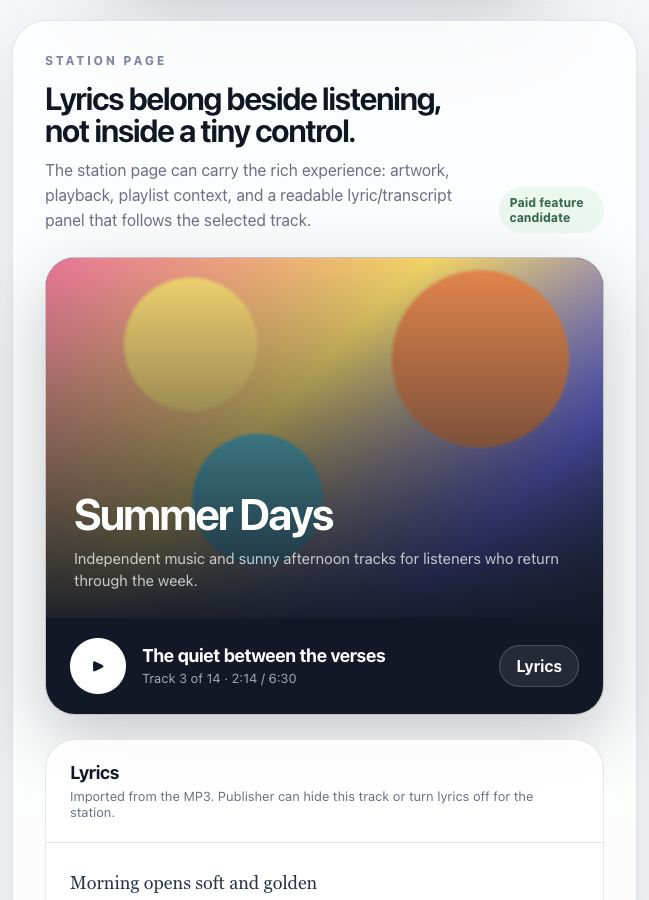
Your website can do things podcast apps will not.
Apple Podcasts, Spotify, and Amazon Music decide what their screens look like. Your website is the place you control.
That is where the player, playlist, lyrics, share buttons, donation link, notes, sponsor read, or next step can all work together.
No weird promises.
Phones are different. Browsers are different. Some lock screens show rich controls. Some show less. iRadeo should make the best version possible without pretending every phone behaves the same.
Same with lyrics. If the lyrics are in the MP3, use them. If the publisher does not want them shown, make it easy to turn off. If the player is too small, link to a better view.
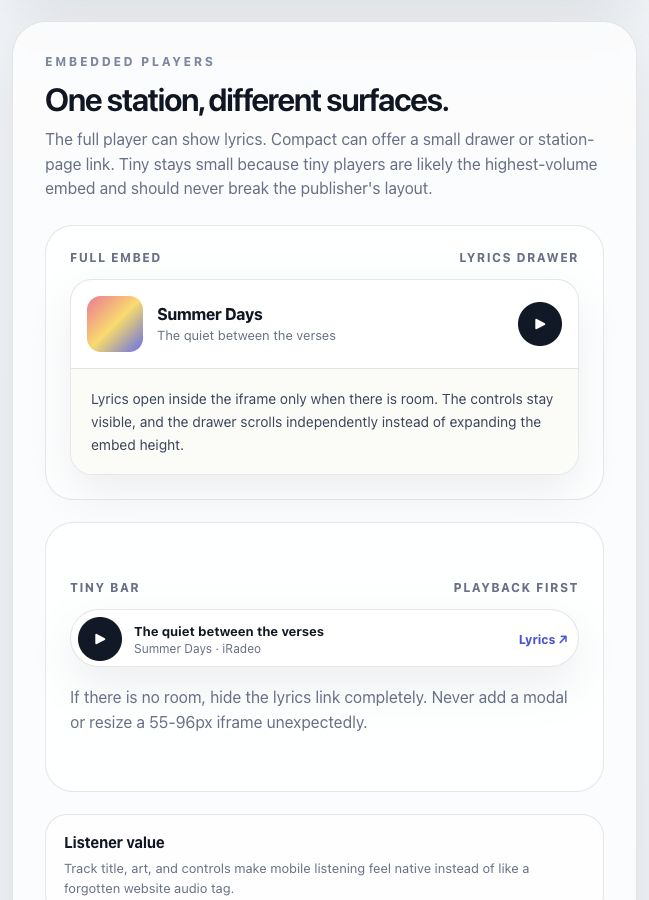
Make your audio feel finished on the listener's phone.
Upload your tracks, publish a station page, embed the player, and let people keep listening without losing your name, artwork, or next step.